Less manual entry
Extract names, sets, numbers, and languages from photos. Create reviewable drafts before adding listing details.
Use card recognition, catalog data, and market prices to create trading card listing drafts and help buyers find the right card.
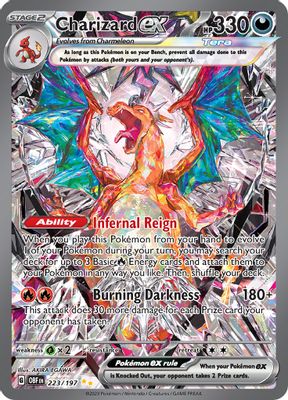

Pokémon · 223/197
Extract names, sets, numbers, and languages from photos. Create reviewable drafts before adding listing details.
Link listings by card ID with language and version distinctions for search, filters and matching products.
Show market prices with currency, variant, and date beside listings, helping sellers price by condition.
Data services supply card information. Your platform manages listing review, publishing and transactions.
Capture one or more cards in a photo. Upload it through your platform and receive individual card results.
Get a card review listConfirm set, number, language and version. Review low-confidence or multiple-candidate results.
Confirm card and versionLink catalog and prices, then add condition, quantity, photos, and asking price. Add certification details for graded cards.
Create listing draftsReview under your platform rules. Link card IDs to listing details, search categories and future updates.
Fit existing trading workflowsMaintain catalog and business data separately. Send complete drafts into your publishing workflow.
Recognition supplies card identity. Source photos remain the record of physical condition.
Confirm version and language first, then link prices to the same card.
Your platform stores status, condition, and asking prices.
Obsidian Flames · 223/197
Holofoil · EnglishStart listings with recognition and catalog data. Add prices and grading labels as needed.
Turn photos into card review lists and reduce repetitive listing forms.
Link names, sets, and variants for consistent listings and search filters.
Show market records beside asking prices, retaining currency, price type, and date.
Correct, crop and standardize photo backgrounds to prepare product images for listing.
The API supplies card identity and data; your platform manages listing status, condition, and pricing.
Review before publishing to keep card identity and listing details consistent.
Show the source photo, candidate versions and confidence together. Keep manual catalog search and retake options available.
Keep condition and price on each listing. Use a shared card ID for catalog links without merging separate stock items.
Continue filling product details. Show No data for missing prices and let sellers set their own price; never treat missing data as zero.
Plan how data flows through every step of your business.
More questions? Contact usAdd recognition to your listing form to fill names, sets, and numbers. Once stable, add variant checks, catalog search, and price references while retaining review and publishing.
Multi-card detection returns individual results. Build a review list, verify each version and language, then create separate listing drafts.
Confirm identity with recognition and catalog data. Save language and variant; let users verify physical cards when several candidates match.
Add label text, company, grade, and certification to listings with graded recognition. Your platform adds physical photos, condition, and transaction details.
Your platform sets pricing. Display market records as a separate reference, while considering condition, quantity, fees, and business strategy.
Keep your product IDs and add card ID and variant links. One catalog card can link to many listings.
Connect an API, request a key or discuss your data needs.
Tell us what you are building. Let us find the next step.
Define product goals, data scope, and API needs.
Combine recognition, imaging and data.
Once the plan is agreed, we help you get an API key.